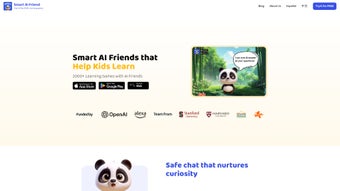

Download Heeyo – AI Learning Platform for Kids, Safe & Engaging
Heeyo is an innovative AI‑driven web application specifically designed for children between the ages of three and eleven. By merging education with entertainment, Heeyo creates a vibrant digital playground where young learners can converse with friendly AI companions, solve puzzles, explore interactive stories, and conduct virtual science experiments. Each AI friend is multilingual, speaking more than fifteen languages, and is built on a research‑backed interaction model created by child psychologists.
This ensures that every conversation is age‑appropriate, emotionally supportive, and aligned with developmental milestones. The platform offers a curriculum that spans reading, mathematics, science, history, and creative arts, all mapped to common‑core standards yet delivered in a gamified format that feels more like play than traditional study. Parents and educators benefit from a powerful dashboard that provides real‑time progress reports, customizable learning paths, and a game‑builder that lets them craft unique challenges based on a child’s interests and skill level.
Heeyo is completely ad‑free, adheres to COPPA regulations, and employs end‑to‑end encryption to safeguard personal data, delivering a trustworthy, secure environment for curious minds. Whether accessed from a desktop in a classroom or a tablet on a family couch, Heeyo adapts seamlessly to any device, making it a versatile tool for modern learning.
Key Features That Make Heeyo Stand Out
Heeyo’s feature set is crafted to address the core needs of early learners, parents, and educators alike. The platform’s AI companions act as both mentors and playmates, offering dynamic dialogues that evolve as children progress. The curriculum is continuously refreshed, ensuring that content remains relevant, engaging, and pedagogically sound. In addition, Heeyo’s architecture emphasizes privacy, accessibility, and ease of use, allowing families to focus on learning without technical distractions. Below is a detailed list of the most compelling capabilities:
- AI‑Powered Multilingual Friends: Children can chat with AI companions that speak over 15 languages, encouraging both language acquisition and cultural awareness.
- Psychology‑Backed Interaction Model: Dialogues are designed by child development experts to promote curiosity, confidence, and emotional regulation.
- Wide Curriculum Library: Over 200 interactive modules covering reading, math, science, history, and creative arts, all aligned with common core standards.
- Customizable AI Buddy: Kids can design the appearance, name, and personality traits of their AI friend, boosting ownership and motivation.
- Parent & Educator Dashboard: Real‑time progress reports, activity logs, and a game‑builder that tailors challenges to each child’s strengths and weaknesses.
- Ad‑Free & COPPA Compliant: No third‑party advertising, strict data minimization, and parental consent mechanisms built into the sign‑up flow.
- Secure Cloud Sync: All learning data is stored securely in the cloud, allowing seamless access from any device without compromising privacy.
- Gamified Rewards System: Badges, virtual stickers, and level‑up milestones keep children engaged while reinforcing mastery of concepts.
- Regular Content Updates: New activities, seasonal events, and curriculum enhancements are released monthly, ensuring fresh material year‑round.
- Cross‑Device Accessibility: Optimized for desktops, tablets, and smartphones, so learning can continue at home, in the classroom, or on the go.
Installation, Setup, and Daily Use
Heeyo was built with simplicity in mind, allowing even technology‑shy parents to get their children started within minutes. The platform runs entirely in a modern web browser, eliminating the need for downloads or complex installers on Windows, macOS, Android, or iOS. Follow this step‑by‑step guide to experience a smooth onboarding process and maximize daily usage:
- Visit the Official Site: Open heeyo.com on any up‑to‑date browser (Chrome, Firefox, Safari, Edge). The homepage presents a clear “Get Started” button that leads directly to the registration flow.
- Create a Parent Account: Enter a valid email address, choose a strong password, and complete the age‑verification questionnaire required by COPPA. For added security, enable two‑factor authentication via email or an authenticator app.
- Add Your Child’s Profile: In the dashboard, click “Add Child,” then fill out the child’s name, birthdate, preferred language, and learning interests. This information fuels the AI’s personalization engine, ensuring that each interaction feels uniquely tailored.
- Select or Create an AI Buddy: Browse the pre‑made gallery of friendly characters or launch the “Create Your Buddy” tool to customize appearance, voice, and personality traits. Children love seeing their own creations, which boosts engagement.
- Explore the Learning Hub: The main interface displays activity cards grouped by subject and difficulty level. Clicking a card launches an immersive session—whether it’s a reading adventure, a math challenge, or a virtual science lab.
- Engage in Daily Sessions: Heeyo recommends a balanced schedule of 20‑30 minute sessions, mixing short quizzes with longer exploratory activities. The AI monitors performance and gently nudges the child toward new concepts when mastery is detected.
- Monitor Progress: Parents can open the “Progress Tracker” at any time to view completed modules, time spent, and skill mastery graphs. Exportable PDF reports are available for teachers or for keeping a personal learning journal.
- Automatic Updates: Because Heeyo lives in the cloud, all new features, bug fixes, and curriculum additions are pushed automatically. Users never need to download patches; the next time they log in, the latest version is already waiting.
- Support & Community: If you encounter any issues, a built‑in help center offers searchable articles, video tutorials, and live chat with support staff during business hours. A parent forum also provides a space to share tips and success stories.
All of these steps can be completed in under ten minutes, making Heeyo an ideal solution for busy families who want a high‑quality educational tool without a steep learning curve.
Compatibility, Pros, Cons, and Frequently Asked Questions
Supported Operating Systems
Heeyo is a web‑based platform that works on any device capable of running a modern browser. This includes Windows 10/11, macOS Monterey or later, Linux distributions, ChromeOS, iOS 13+ (iPhone & iPad), and Android 8+. Because no native app installation is required, the experience is identical whether the learner is on a school computer lab, a family laptop, or a tablet on a road trip.
Pros
- Free core platform with no intrusive ads.
- AI companions adapt to each child’s reading level and interests.
- Multilingual support encourages early language learning.
- Parent dashboard offers transparent progress tracking.
- Strict privacy safeguards meet COPPA standards.
- Regular content updates keep the curriculum fresh.
- Cross‑device compatibility eliminates hardware barriers.
- Gamified rewards keep motivation high.
- Secure cloud sync ensures data safety and accessibility.
- Research‑backed interaction model promotes healthy emotional development.
Cons
- Advanced premium features (e.g., extensive custom game builder) require a subscription.
- Internet connection is mandatory for full functionality.
- Some complex science modules may need adult supervision for safety.
- Limited offline mode; progress cannot be saved without connectivity.
- Initial setup requires a parent account, which adds an extra step for very young families.
Frequently Asked Questions
Is Heeyo really free to use?
Yes, the core learning platform is completely free. All standard activities, AI friends, and the parent dashboard are available at no cost. A premium subscription unlocks advanced customization tools and exclusive content, but it is optional.
How does Heeyo protect my child’s privacy?
Heeyo complies with COPPA, uses end‑to‑end encryption, stores only minimal personal data, and never shares information with third‑party advertisers. Parents must provide consent before any data collection, and all sessions are logged anonymously for analytics.
Can I use Heeyo on a school Chromebook?
Absolutely. Since Heeyo runs in any modern browser, it works perfectly on ChromeOS devices. Schools only need to ensure that the browser is up‑to‑date and that internet access is available.
Do the AI friends learn from my child’s mistakes?
Yes. The AI uses a reinforcement‑learning model that adjusts difficulty based on performance. If a child struggles with a concept, the AI offers hints, simpler examples, or alternative explanations, ensuring a supportive learning path.
Is there an offline mode for travel or limited Wi‑Fi?
Heeyo currently requires an internet connection for full functionality because content is streamed from secure servers. However, a limited offline cache is being developed for future releases.
Heeyo provides a safe, engaging, and adaptable learning environment for young children. The AI companions are both fun and educational, and the parental dashboard offers excellent insight into progress. While the premium tier adds extra polish, the free version is more than sufficient for daily learning.
Review Summary
- Pros: Ad‑free, multilingual AI, strong privacy, regular updates.
- Cons: Requires constant internet, premium features behind a paywall.
Conclusion – Should You Download Heeyo Today?
Heeyo delivers a thoughtfully designed, AI‑driven learning environment that respects children’s privacy while keeping them genuinely excited about education. Its blend of multilingual AI companions, curriculum‑aligned activities, and a robust parent dashboard makes it a compelling choice for families and schools seeking a free, secure, and future‑proof platform. While a subscription unlocks deeper customization, the free tier already offers enough depth to support daily learning for ages 3‑11. If you value a safe, ad‑free space where kids can explore, create, and grow at their own pace, Heeyo is worth the download. Click the link below to start the free registration and let your child meet their new AI friend today.



.png)



